Snap, speak, or type
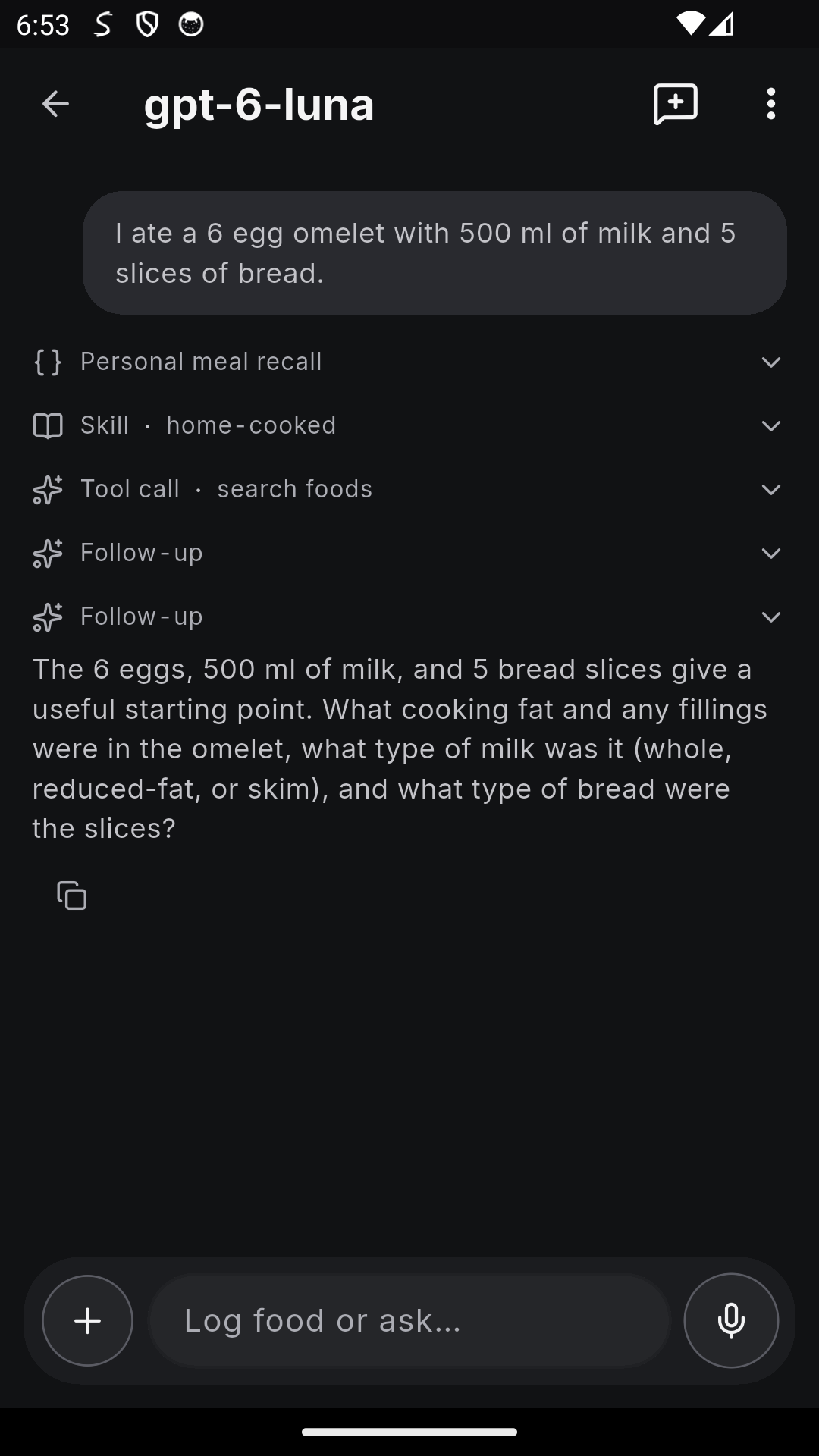
Take a meal photo or tell the AI Agent what you ate. Review foods and portions before you save the estimate.

Completely free on Android. No ads or subscriptions.
Track calories and macros by photo, barcode, or nutrition label. Search foods manually or bring your own compatible AI model for fast meal logging.
3,952,861 searchable food entries worldwideStart tracking without sharing your name, date of birth, or email address. Privacy policy
Optional AI uses your connected provider, whose limits and charges may apply.
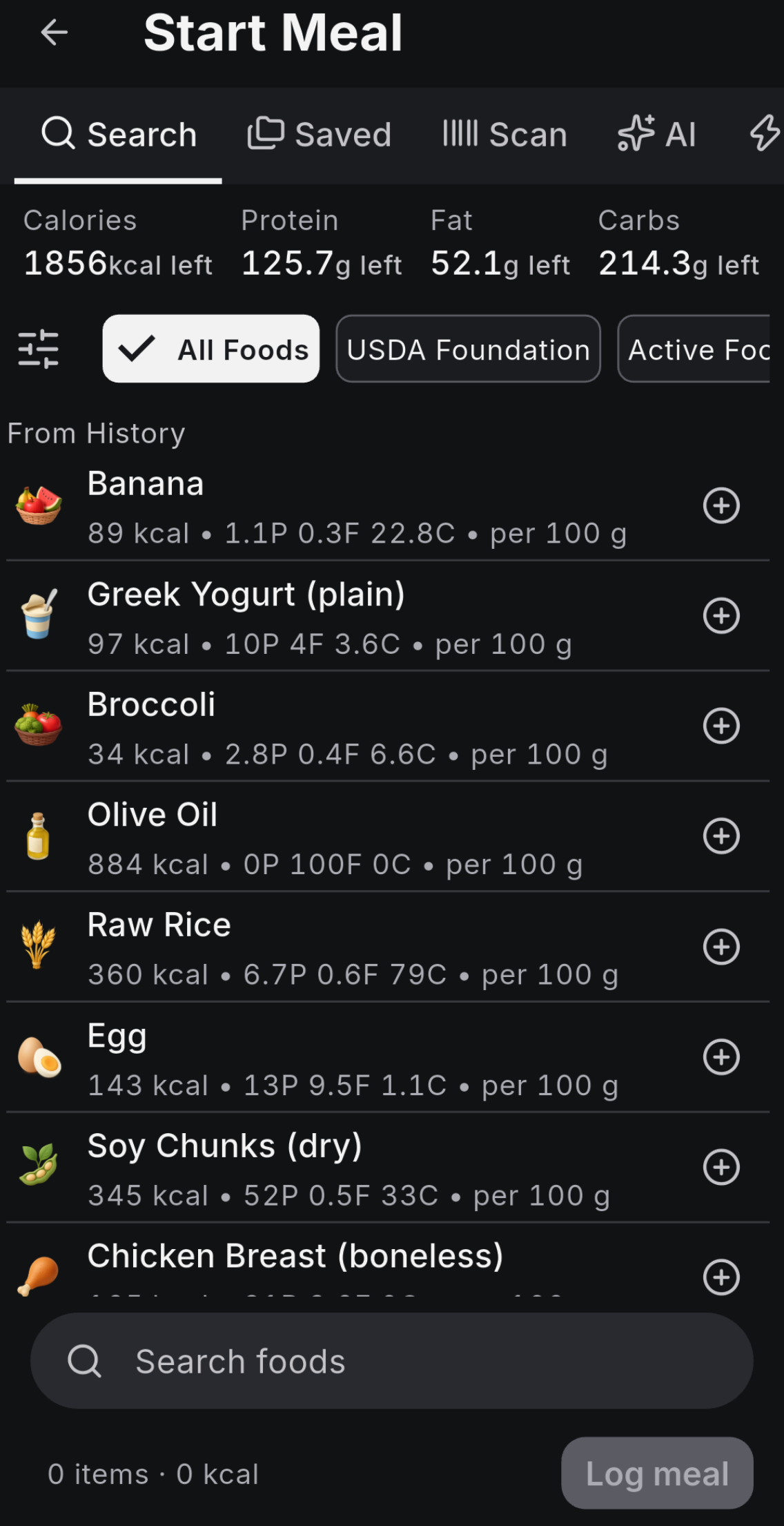
In Settings → Nutrition sources, choose which databases to search and give your local sources priority.
Open Food Facts covers products from many countries. Search by name or scan a barcode to look up nutrition.
Dedicated nutrition databases from 13 countries add another 402,145 entries, including local ingredients, recipes, and branded foods.
Want to look up nutrition data published in your country? Ask in the community and share a link to the data if you have one.
Catalog counts checked November 22, 2026.
Take a meal photo or tell the AI Agent what you ate. Review foods and portions before you save the estimate.
Scan a barcode to look up packaged food. If it’s missing, use AI to read the nutrition label or enter the values yourself.
Search the food catalog or enter a custom food with your own serving size. Manual logging works without AI setup.
Use a beer, wine, spirit, or hard seltzer preset, or enter the drink size and alcohol by volume (ABV). Add carbs or mixer calories and log the estimate.
Use Add with AI to turn a recipe link, cookbook photos, or pasted ingredients and instructions into an editable recipe. Review ingredients and servings, then save it to your library.
Set a calorie or macro target, or use what’s left for the day. Search your library or pick a basket of foods and recipes, then review suggested combinations and adjust the portions.
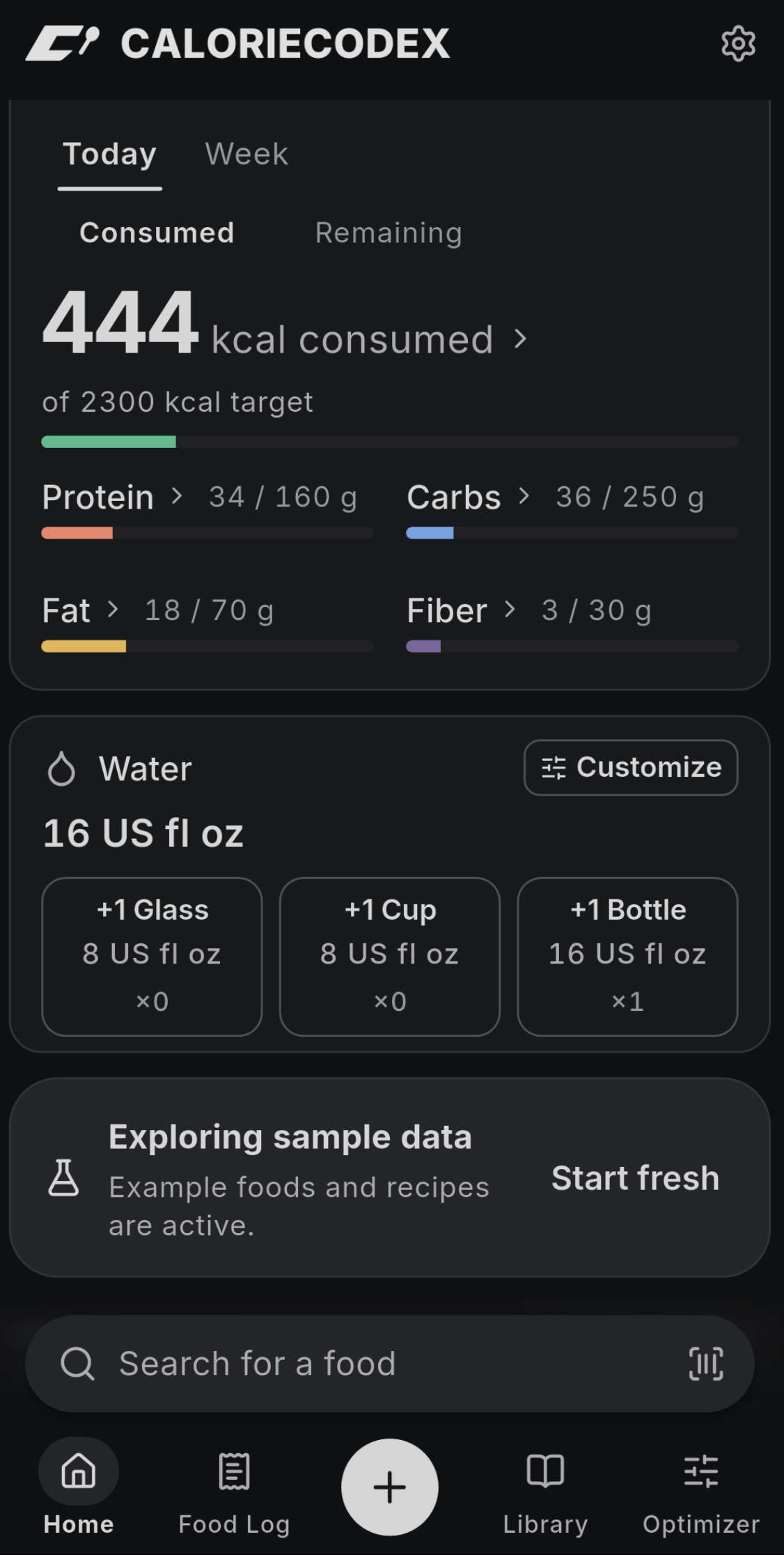
Compare what you’ve logged with your calorie, protein, carb, fat, and fiber targets. Switch between what you’ve eaten and what’s left.
Repeat a meal from your food log, or save foods and portions together as a named meal template. Use it next time and adjust the portions to match what you ate.
Save a full day’s set of meals, like a typical workday or training day. Copy all the meals, or just the ones you want, to another date.
Use Find patterns in Scheduled to spot meals you logged on at least three different days. Review the suggested days and time before turning one into a repeating schedule.
Meal prepping? Split one batch into equal portions over 2 to 30 days. Set a start date and optional reminder, then confirm each portion as you eat it.
Share foods, recipes, and meal templates with a partner. When you update a shared recipe, it updates in their library too. Each of you chooses your own portion and keeps a separate food log. You can also send a one-time copy of a meal.
Choose daily time-restricted eating (14:10, 16:8, or 18:6), or a periodic fasting plan (5:2 or alternate-day fasting). Start on a schedule or tap to start, with optional start and end reminders.
Log a glass, cup, or bottle from your dashboard. Customize serving sizes and set an optional daily water goal to see your progress.
Set a meal to repeat on the days and times you choose. Turn on a reminder, then confirm the suggested meal in your timeline when you’ve eaten it. You can also set a reminder by itself.
Set reminders for things like creatine or vitamins and confirm them after taking them. A zero-calorie entry keeps a record without adding to your calorie total.
Pick a provider you already use. For photo and label scans, choose a model that accepts images. For the Agent, choose one that supports tool calls.
Sign in with your ChatGPT account to use the Codex models available to you.
Connect directly with a Gemini API key from Google AI Studio.
Use one key to choose models from DeepSeek, Anthropic, Google, OpenAI, and others.
Connect directly with your DeepSeek key using the custom endpoint option.
Use an OpenAI API key or enter your own compatible chat-completions endpoint.
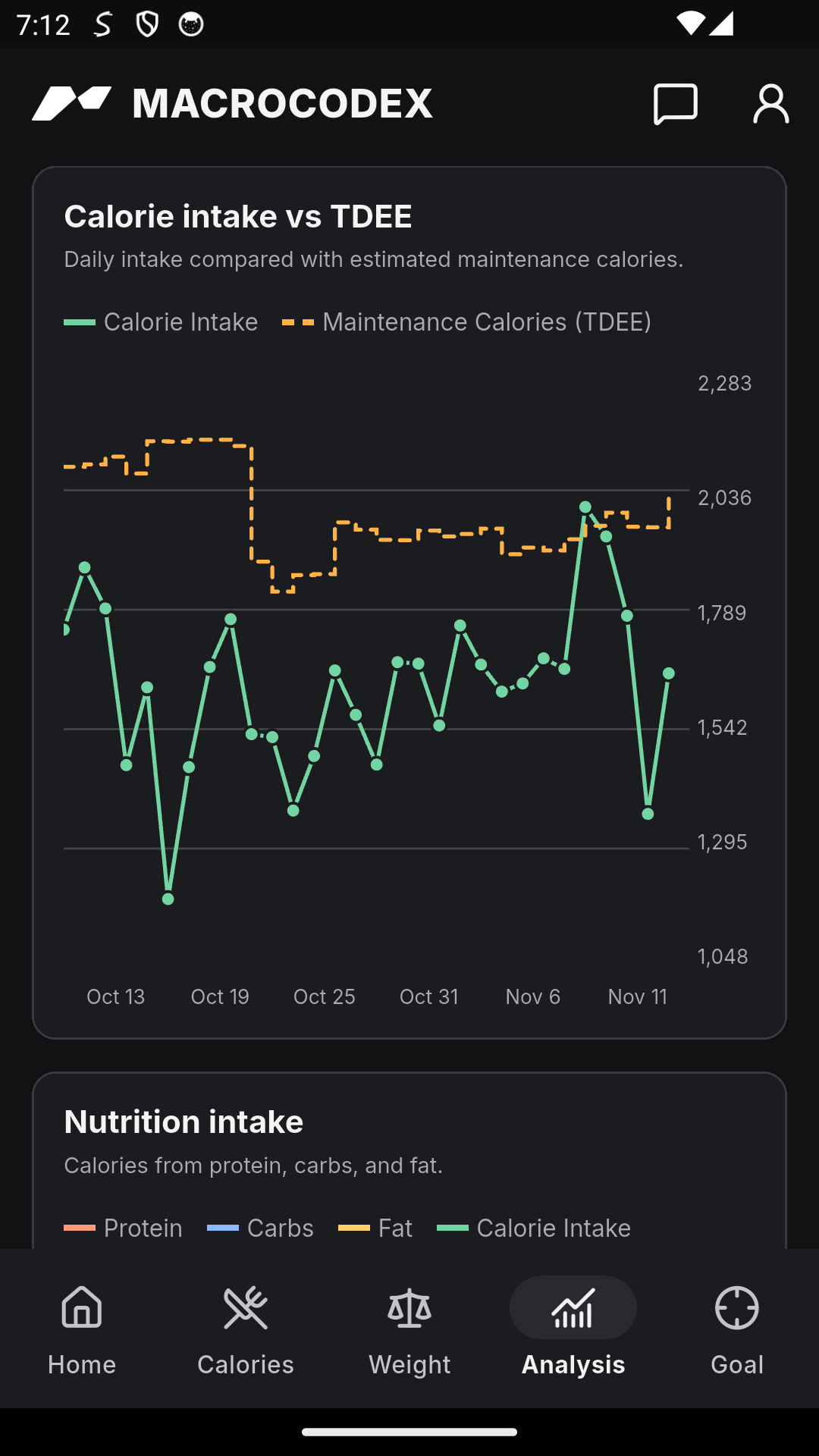
Log your meals in CalorieCodex and let MacroCodex estimate your maintenance calories and update your targets over time.
Import today’s calorie and macro targets so you can see what’s left as you log.
Share completed-day nutrition totals through Android Health Connect when you connect both apps.
Find setup guides and troubleshooting steps, or contact support for help with CalorieCodex.
Yes. The app is completely free, with no ads or subscriptions. AI features require a connected provider and may incur provider charges.
You can search foods, scan barcodes, log meals, and set your own targets as soon as you install the app. AI and MacroCodex sync are optional.
Yes. Export a backup to keep your data or restore it on another device.
Get CalorieCodex free for Android.
Get it on Google Play